



Imported catalogue
Products, photos and variants land in your store, filed in the same categories as the supplier's, up to four levels deep.


The CBD'EAU module brings the supplier's 1,500 CBD products and e-liquids into your store, photos and categories included, with stock and prices refreshed every 30 minutes. You choose what to sell and at what price; CBD'EAU will ship to your customer.
Products, photos and variants land in your store, filed in the same categories as the supplier's, up to four levels deep.
When the supplier changes a price or runs out of a product, your store follows, every 30 minutes, with nothing to do.
Recommended retail price, or purchase price plus your margin: you decide, product by product if you wish.
The supplier's descriptions are never copied: your texts are unique, and Google does not see yet another site repeating the same catalogue.
CBD'EAU gives its customers quantity discounts (-5% from 2, -10% from 5, -20% from 10 on most products). A switch brings them onto your product pages, with a cap if you want to limit them.
Every imported product, every stock correction, every discount applied, every alert: a 90-day log you can export.
The module's next step: your customer's order will go to CBD'EAU automatically, who prepares and ships the parcel.
Real screenshots of the Échoppa admin, on a store that uses the module. Click to enlarge.
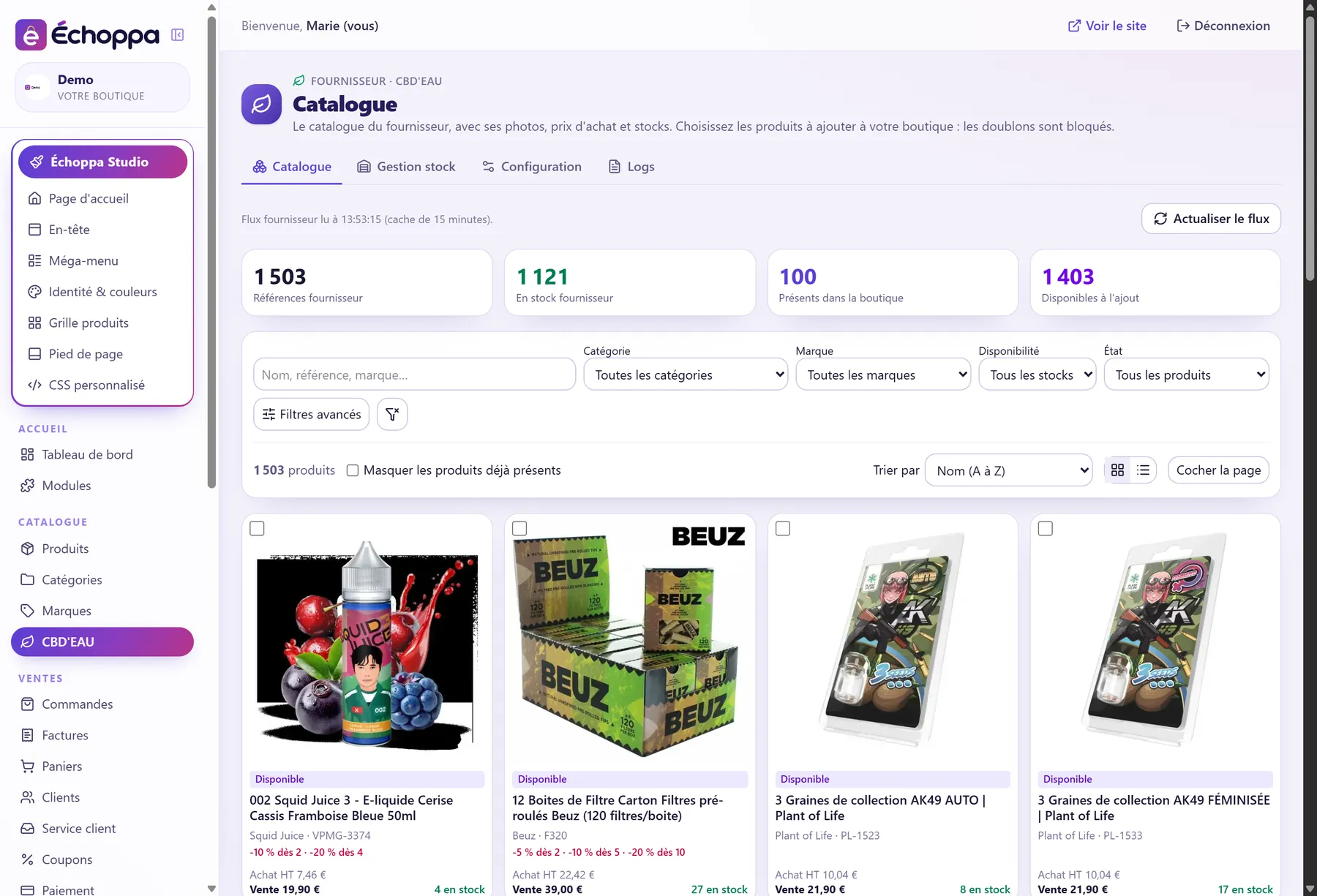
Photos, purchase price excl. VAT, recommended retail price, stock at CBD'EAU: the whole catalogue, filterable by category, brand and availability. Products already in your store are flagged and duplicates blocked.
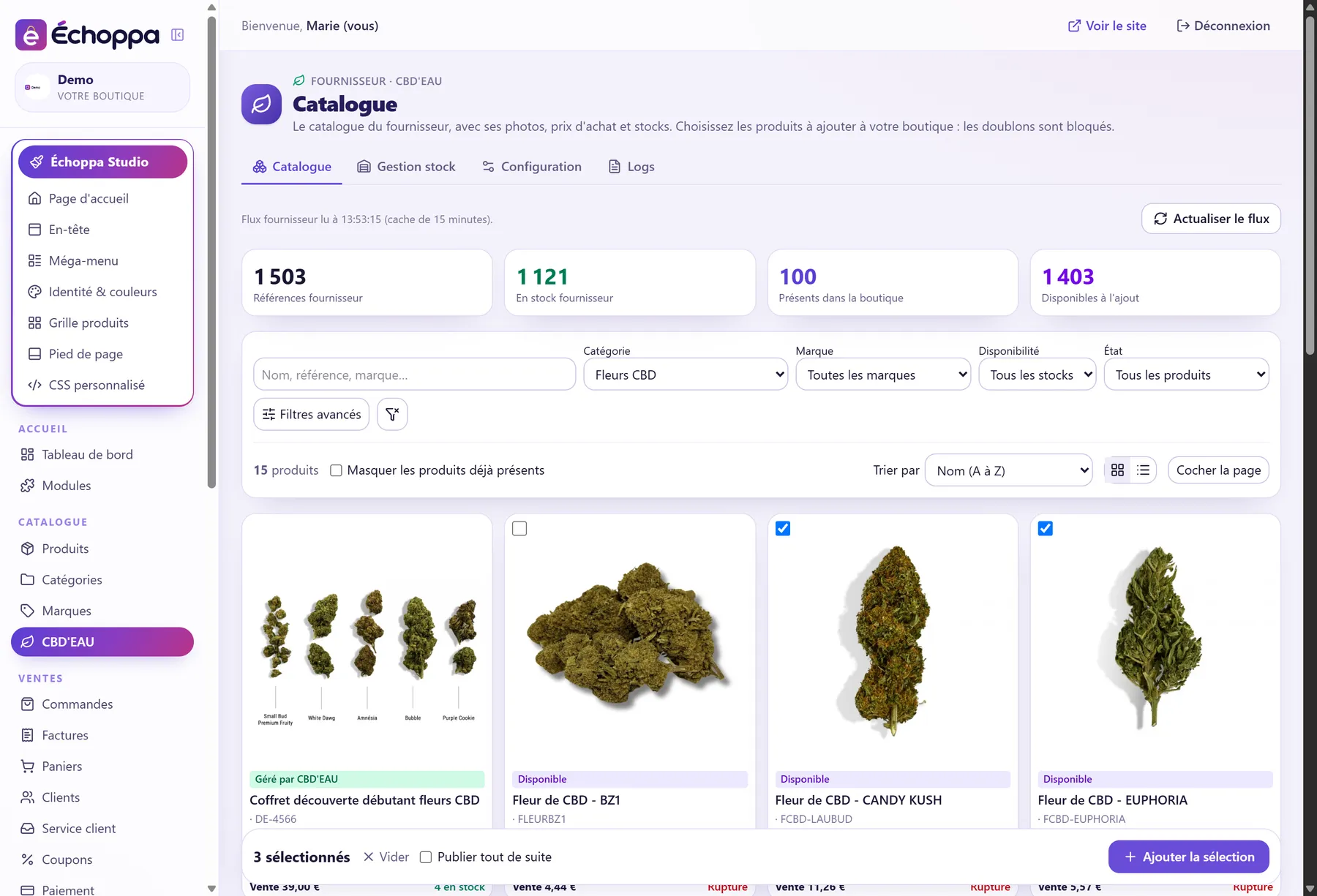
Filter a category, tick what you like, add the selection. As drafts to write your page first, or published right away if you are in a hurry.
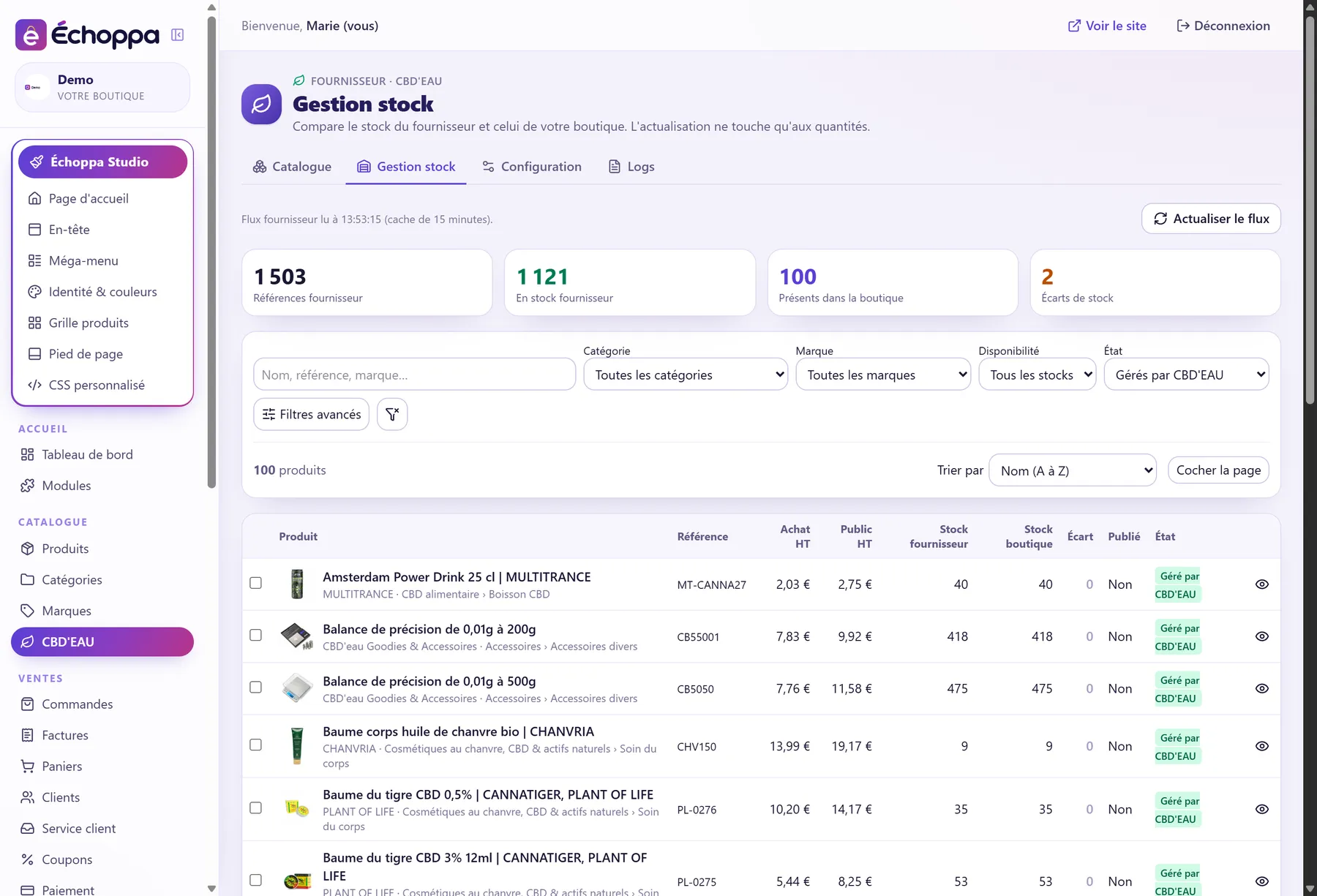
Supplier stock and your store's stock side by side, with the gap worked out for each product. One click aligns everything; the automatic batch then does it without you.
Every 30 minutes, the batch imports new products, updates stock and prices, publishes or not, deactivates missing products. Each action is a checkbox: you tick what you entrust to it.
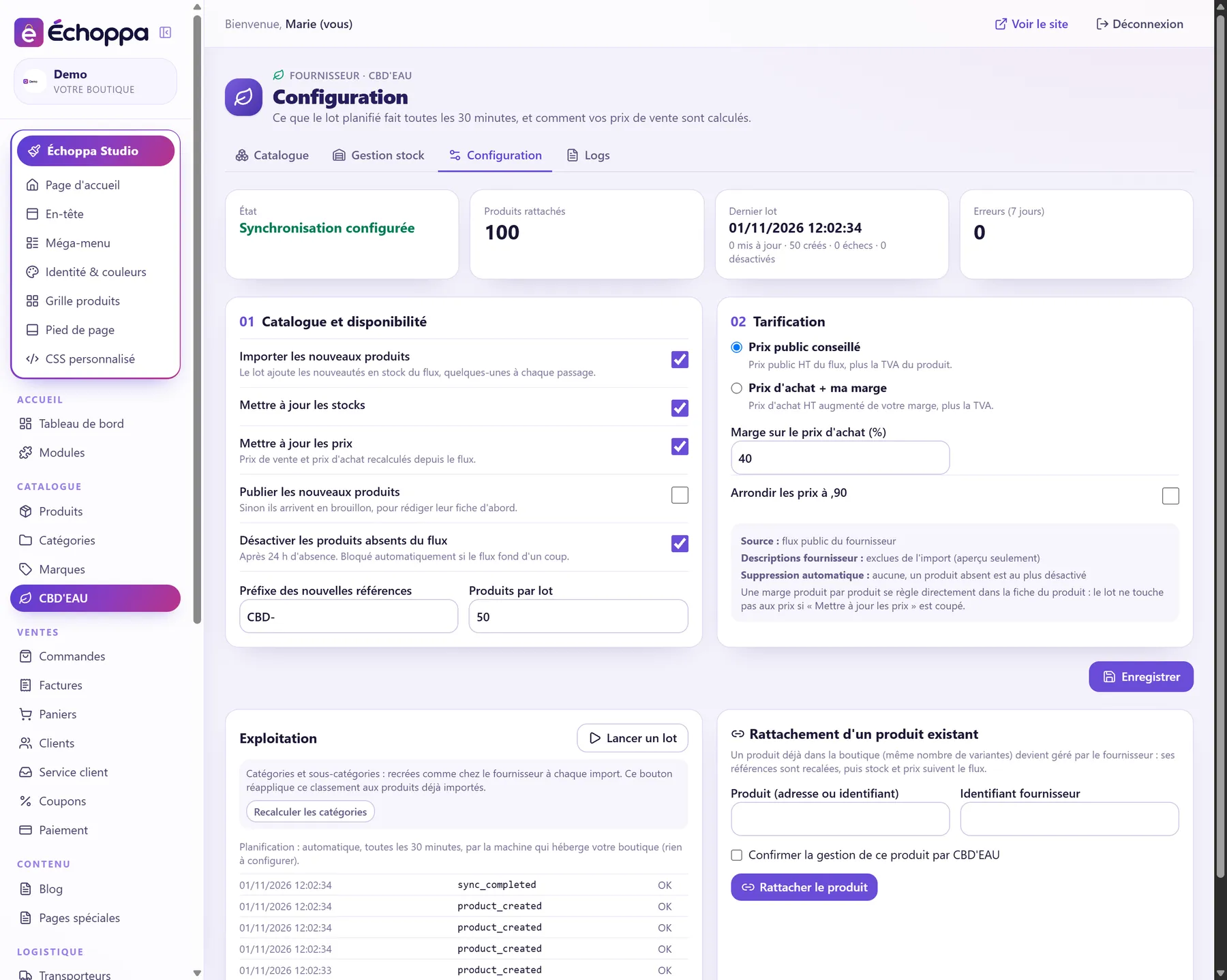
The supplier's recommended retail price, or purchase price plus your margin, rounded to .90 if you wish. A product you already sold can be linked to the supplier: its stock and prices then follow the feed.
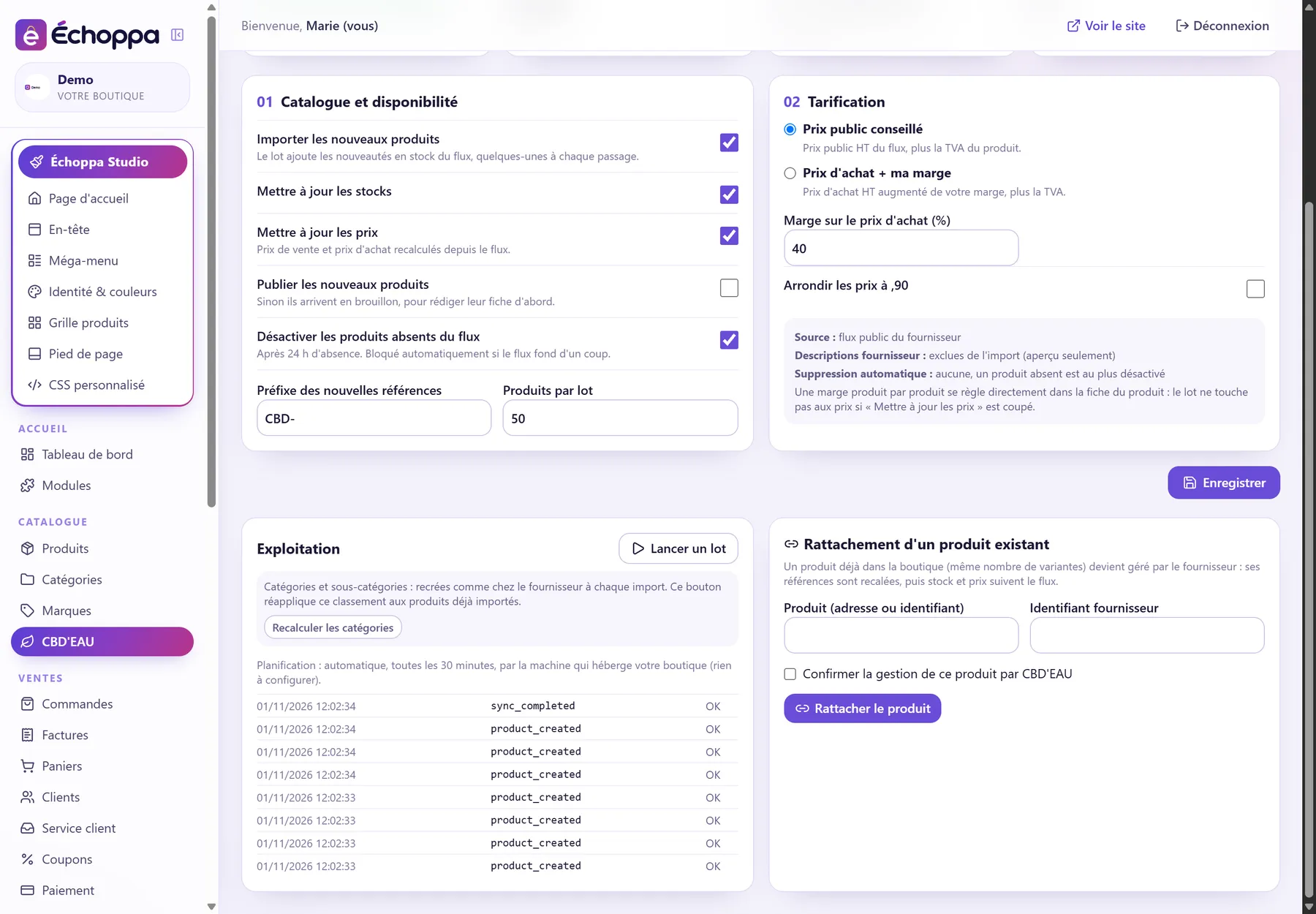
The supplier publishes the quantity discounts it gives its own customers. A switch applies them to your linked products, as a percentage of your selling price, and the batch keeps them up to date. A cap limits them, and the module warns you if a discount would eat into your margin.
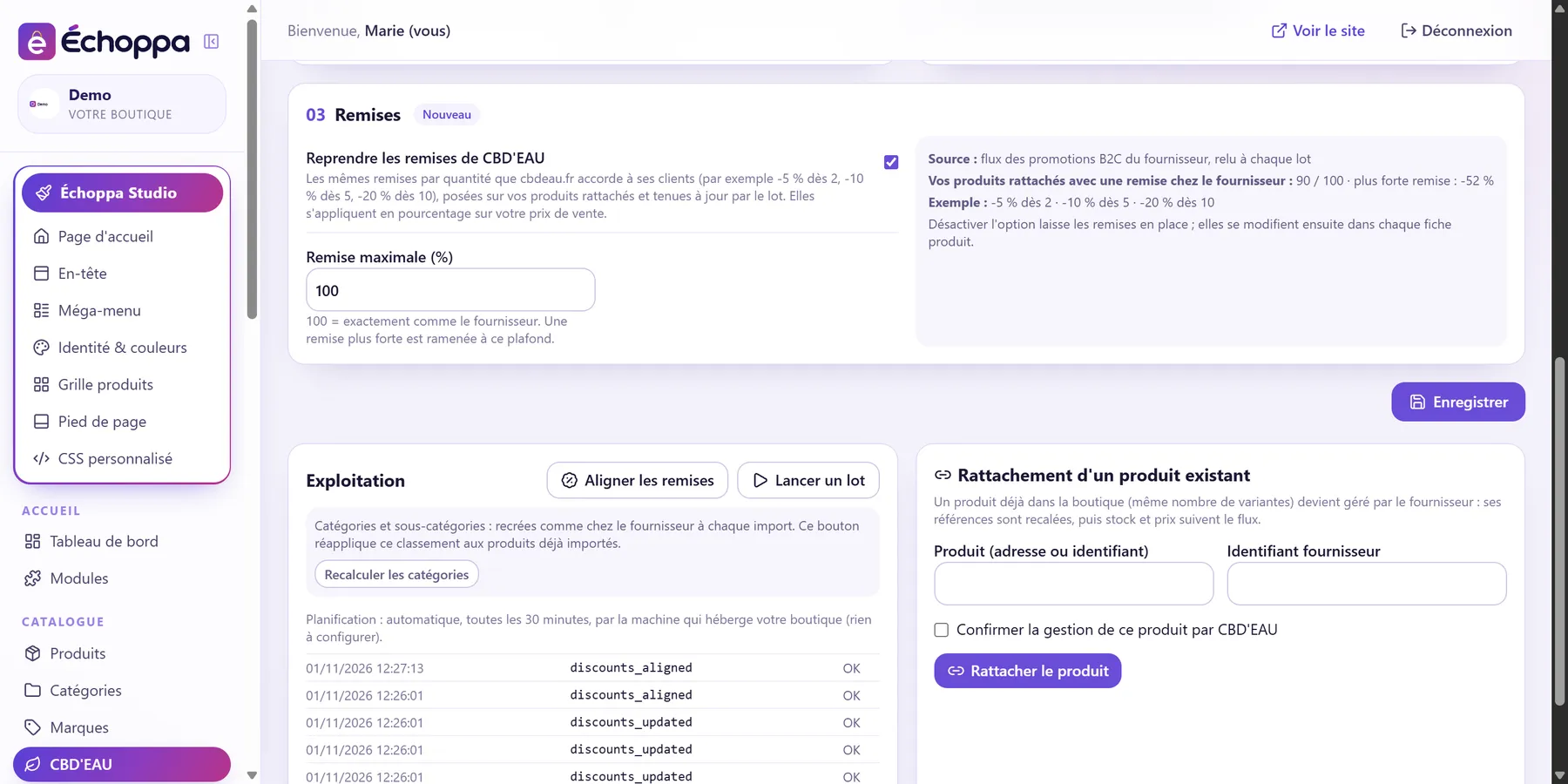
Imported product, stock change, alert, error: the log keeps 90 days of events, filterable by product, level and date, exportable to CSV.
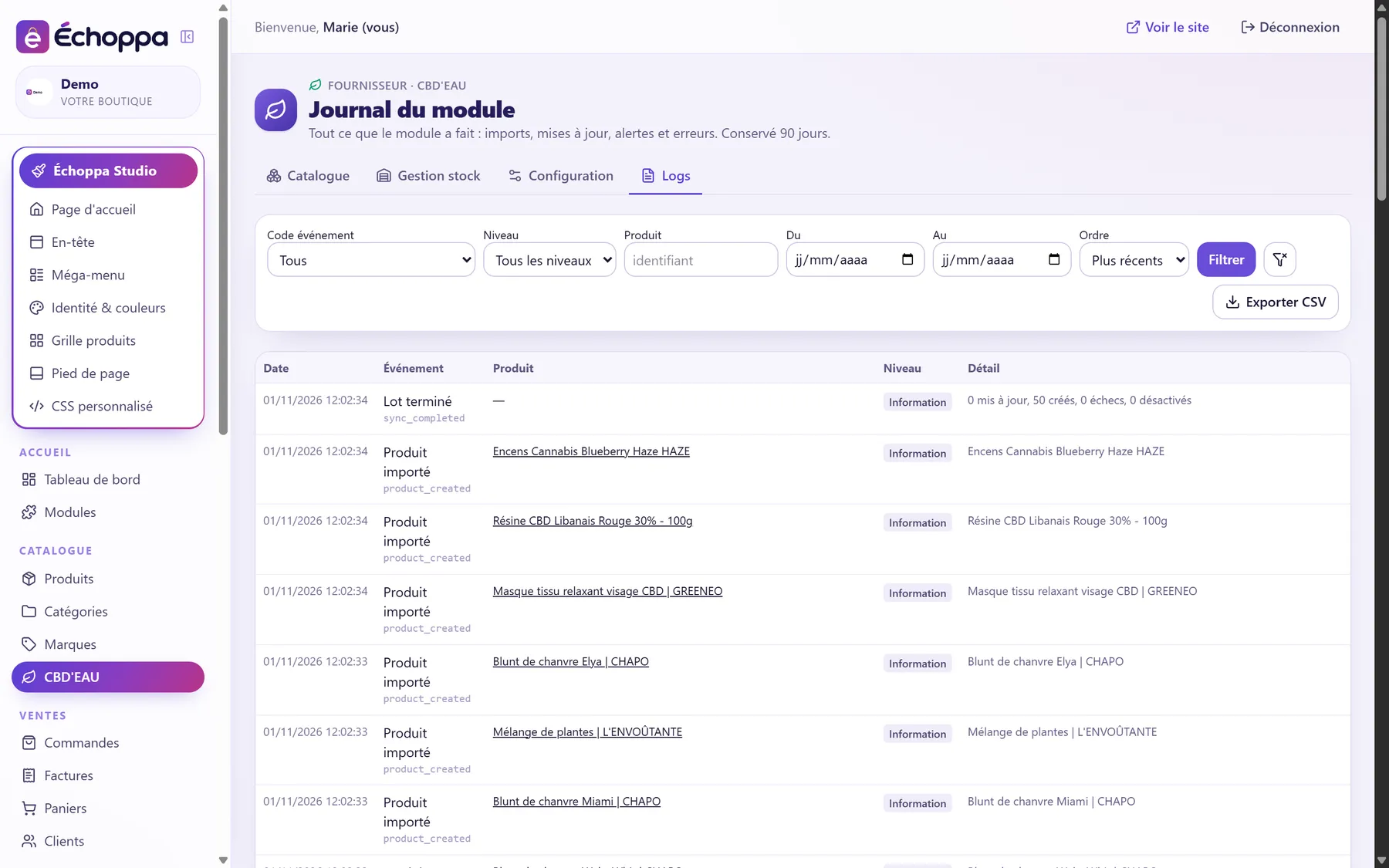
The module never decides for you: you choose the rule, and the batch applies it on every run. If you switch off price updates, it no longer touches them.
The retail price excl. VAT from the supplier feed, plus the product's VAT. Simple, in line with the market.
The purchase price excl. VAT plus your margin as a percentage, plus VAT. Optional rounding to .90, always upwards.
Example with 20% VAT and a 40% margin: your figures depend on your margin and on each product's VAT.
A catalogue that moves on its own must be kept in check. Here is what the module never does, and what it watches on your behalf.
A product missing from the feed for 24 hours is at most deactivated, never deleted. Your pages and your history stay.
If the supplier catalogue suddenly drops (under 90% of the previous day, or over 20% missing), deactivation is blocked automatically.
A product already in your store cannot be imported twice: the catalogue flags it and hides it if you ask.
The supplier's descriptions serve as a preview, never as content. What Google reads on your site exists nowhere else.
The batch adds a few new products on each run (adjustable), so your store grows at a pace you can keep up with.
Before you switch on the supplier's discounts, the module works out the margin you have left after the biggest discount, and shows it in red if it turns negative. The cap leaves the decision to you.
Sync runs every 30 minutes on the machine hosting your store. No key to paste, no task to schedule.
It opens with Échoppa, in early 2027. The screens on this page are those of the module as it already runs on our pilot stores.
Not yet. Today the module handles the catalogue, stock, prices and the log; automatic order forwarding is the next step.
Yes, they are your products: title, description, photos, categories, price. Only the stock and, if you leave it on, the price follow the feed.
After 24 hours missing from the feed, the product is deactivated in your store, not deleted. If it comes back, you reactivate it.
The whole catalogue if you wish: 1,503 references today. By hand through selection, or automatically in batches of 20 (adjustable) on each run.
Yes. The supplier publishes its quantity discounts; the module applies them to your linked products and keeps them up to date on every run. You can cap them, or switch the option off: the discounts already applied then stay editable page by page.
Not for the catalogue, stock and prices: the module reads the supplier's public feed. A CBD'EAU reseller account will be used for order forwarding.